Another Mother's Day is upon us, and the script often writes itself: bouquets of flowers, heartfelt greeting cards, and family brunches. It's all familiar territory. But this year, why not try something that adds a fresh, new flavor? We often relegate music to the background, treating it as an afterthought. Yet, the truth is, some of our most vivid memories are underscored by a powerful soundtrack. That's why this year, I want to experiment with a new twist: instead of playing someone else's songs, let's make our own. It’s the perfect way to inject some novelty into the celebration, make the kids' breakfast-in-bed surprise even more exciting, and add a layer of warmth to our conversations around the dining table. Let's use music to revitalize your Mother's Day activities and create some truly unexpected magic.
This Mother's Day, let the AI music generator platform, MakeBestMusic, become the newest member of your family. You don't need instruments or any music theory knowledge. With just a few simple steps, you can create unique, personalized music for the mothers in your life. It’s the perfect tool to enhance your celebrations and transform your gratitude into melodies you can cherish forever.
Before we dive into creating music for specific moments, let's spend two minutes understanding the basics of MakeBestMusic.
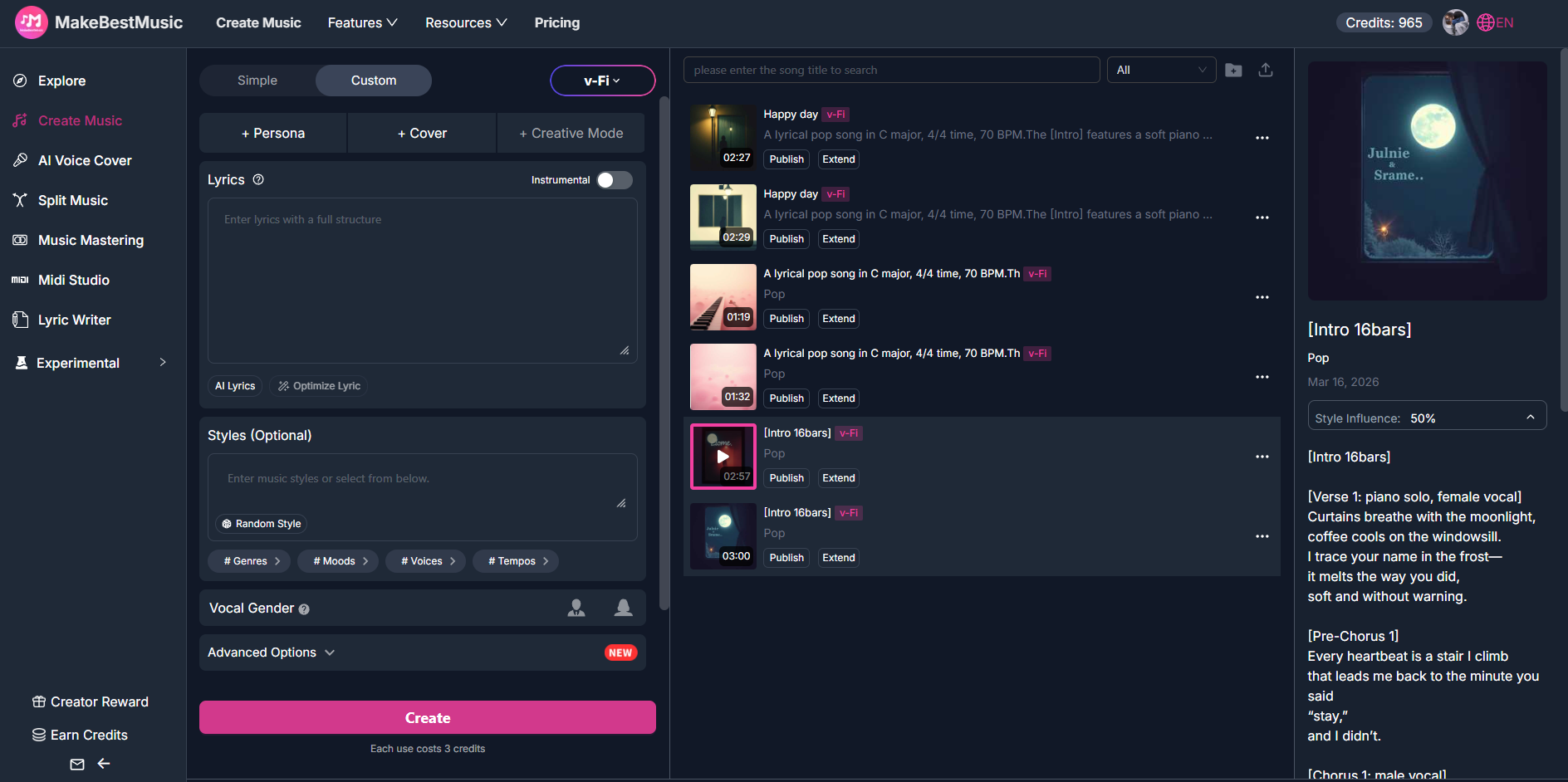
Head to MakeBestMusic and log in to your account. New users can quickly register and use the platform's free trial credits to explore all the features. Once logged in, you'll be on the main dashboard where all the creative tools are clearly laid out in the navigation bar—from creating music from scatch, generating vocal or instrumental versions, to AI voice remover tools and separating song stems. Every step of your musical journey starts here.
[Style] + [Mood] + [Instruments/Sound] + [Tempo] + [Context/Use Case]
No matter which mode you choose, using this formula to write your prompts will help the AI understand you better and deliver more accurate results. Let's say you want to compose a song for a Mother's Day morning:
Combine these elements to create the perfect prompt.
Now that you've learned the "Universal Formula" for creating music from scratch, it's time to explore another powerful aspect of MakeBestMusic. Mother's Day is a great time to revisit timeless classics—beloved lullabies or classic acoustic tunes that hold special memories. These tunes already carry deep emotional weight. But what if you could make them even more personal to your mother's story? With MakeBestMusic, you can give these old songs a fresh, new feel, preserving their spirit while imprinting them with your family's unique identity.
Copyright Note: When adapting existing songs, please ensure the original song is in the public domain or that you have obtained the necessary rights. MakeBestMusic encourages users to respect intellectual property and only create derivative works from legal content.
Imagine Mom loves the classic song "You Are My Sunshine," but you wish it felt more specific to your family. What if you could change the lyrics to directly thank her for her hard work? On MakeBestMusic, this is surprisingly simple.
1. On the Create Music page, select Custom Mode.
2. Input Your New Lyrics: In the "Lyrics" text box, type in your adapted version. For example:
1. Original: "You are my sunshine, my only sunshine, you make me happy when skies are gray."
2. Your New Version: "You are our sunshine, our dearest mother, you make us happy every single day."
3. Set the Musical Style: Use the Universal Prompt Formula to describe the new sound. Example Prompt: "A modern acoustic-pop arrangement inspired by the classic song 'You Are My Sunshine.' Warm and tender, with acoustic guitar, soft piano, and a gentle vocal. Tempo around 90 BPM, perfect for a Mother's Day tribute."
4. Click "Create", listen to the previews, and download your favorite version.
Sometimes, Mom just needs a quiet moment to relax—like a peaceful afternoon tea or a home spa session. MakeBestMusic's Instrumental option makes this incredibly easy. You can convert a classic tune into a peaceful piano piece in seconds.
A Mother's Day celebration is made up of many different moments, each needing its own unique musical atmosphere. Let's explore how to use the "Universal Formula" to mix the perfect background music for each warm and wonderful activity.
Covering Every Celebration Scene
One of the most beautiful things about Mother's Day is the opportunity to make every maternal figure feel seen and cherished. With MakeBestMusic's Simple Mode, you can quickly generate a custom track for each of them.
With just a few simple steps, you can turn the love you sometimes struggle to put into words into a melody they can listen to again and again. This Mother's Day, let Mom be the star of her own soundtrack.
A common concern with song generator tools is copyright. On MakeBestMusic, you can put those worries to rest:
The true meaning of Mother's Day lies in creating beautiful memories with the women who nurtured you. And music is the magic that makes those memories even more vivid and lasting. With MakeBestMusic, you are no longer a passive consumer of music. You become an active creator for your family. Whether it's scoring a morning surprise, composing theme songs for grandmothers, or giving a classic tune a personal twist, you can do it all with ease.
This spring, let MakeBestMusic help you transform your family's gratitude and joy into a collection of unique melodies. Years from now, when you play these songs, you'll be instantly transported back to that sun-drenched Mother's Day afternoon—the smiles on your children's faces, the beautiful flowers on the table, the feeling of absolute love in the air—all brought back to life, note by note.