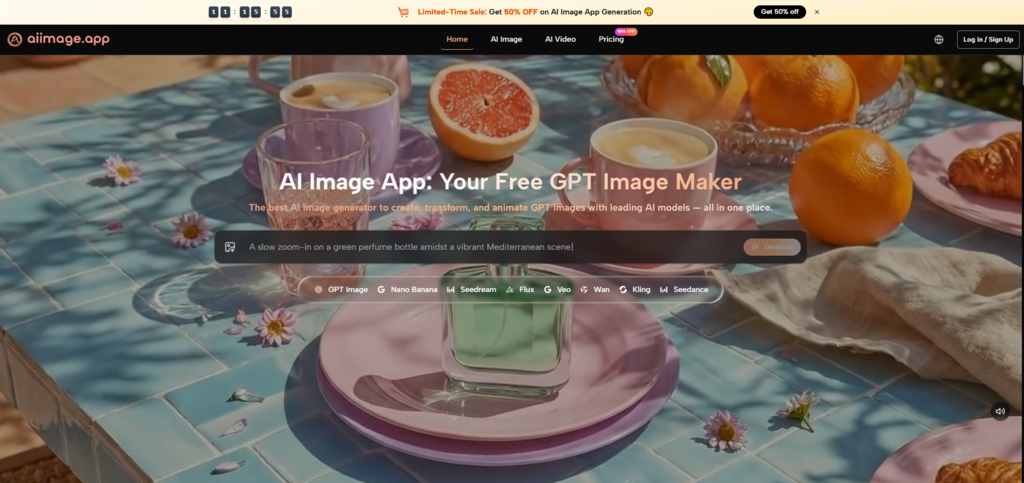
After wasting hours on sites that buried the actual image generator under pop-ups, auto-play videos, and misleading download buttons, I started keeping a mental checklist for what a usable AI image tool should feel like. It needed to stay out of my way, load quickly, and not make me question whether I had accidentally clicked on a banner ad instead of the generate button. That search eventually pushed me toward testing a handful of platforms more carefully, and I ended up spending the most time with AI Image Maker. What I noticed wasn't a single groundbreaking feature but a kind of quiet reliability that made me want to open it again the next day. That alone felt rare.
To make the comparison fair, I ran similar prompts on each platform across three different image categories: a detailed product mockup, a character concept with specific lighting, and a simple social media visual. I measured how long each tool took from prompt submission to a finished result, how many intrusive elements appeared before or during generation, and whether the interface felt like it was helping me finish my task or pulling me somewhere else. I didn't use a stopwatch with millisecond precision, but I noted when a wait felt long enough to interrupt focus. I also kept a log of how often I had to close an unexpected window, dismiss a promo, or scroll past content that had nothing to do with image creation. The platforms I compared included AIImage.app, Midjourney, Leonardo AI, Adobe Firefly, Canva AI, and one well-known freemium generator I will keep unnamed because my experience with it kept crashing the tab.
The unnamed freemium tool was the worst offender. Every session seemed to trigger a full-screen promotion for a premium plan before I could even see the generation panel. The loading spinner felt almost performative, spinning long enough that I would glance at another tab and lose my train of thought. Even among the more established names, distractions showed up in subtler forms. Some interfaces cluttered the main workspace with community feeds, trending images, and notification dots that pulled my attention away from my own project. None of these things were broken features, but they chipped away at my momentum. When I was trying to iterate quickly on a visual idea, every extra click and visual interruption made me less likely to finish a full session without feeling drained.
When I focused on the models inside AIImage.app, the platform positions GPT Image 2 as a model for more structured and detailed image generation, and I decided to test it on prompts that typically confused other tools. For instance, I used a prompt that combined two characters with overlapping limbs and a specific depth-of-field request. In my previous attempts on a few other services, this kind of prompt often produced fused body parts or a flat background where the depth was supposed to be. The GPT Image 2 output wasn't perfect, but it held the composition together clearly enough that I could use the image as a base without spending ten minutes in an external editor first. What stood out more was that the generation speed didn't degrade as I moved into more complex multi-subject prompts, which often happens on platforms that allocate lighter compute to free tiers.
Before I settled on a daily driver, I needed a clearer picture of how each platform handled not just image quality but the whole user journey from landing page to downloaded file. The table below summarizes what I observed across roughly a week of switching between tools. I scored each dimension on a scale from 0 to 10, where a higher number means less friction or better performance.
Midjourney still produces some of the most visually striking images I could get in a single attempt, and my score reflects that. Yet the Discord-based workflow, while familiar to many, introduced enough friction in my own iteration process that I docked Interface Cleanliness significantly. Leonardo AI offered a good library of models, but the dashboard sometimes felt busy with community showcases I didn't need during focused work. Adobe Firefly felt balanced but not particularly faster or cleaner. Canva AI was convenient for designs that already lived inside the Canva ecosystem, but the image generation panel was wrapped inside a platform that does many other things, which sometimes made me hunt for the right button. The unnamed freemium tool simply cost too much patience with every session.
One dimension I rarely see discussed in listicle comparisons is update activity presented in a calm, non-distracting way. AIImage.app didn't push a flashy changelog pop-up when I logged in. Instead, I noticed new model options appearing in the selector over the span of days without any fanfare. That steady, almost understated rollout gave me a sense that the platform was actively maintained without demanding my attention for its own marketing. Some other platforms had more dramatic announcement banners, which could be informative but also ate into the screen space I wanted to keep clean. This small difference added up. When I just needed to run five variants of a product mockup before a meeting, a quiet interface felt like a tool, not a media channel.
What made AIImage.app fit into my daily routine wasn't a complex set of features but how little I had to think about the steps. The creation flow I repeated most often looked like this:
This sequence rarely broke. I didn't have to guess whether a model was still available or whether my credits had been consumed by a background process I hadn't approved. The lack of surprises, in a space where small technical hiccups are common, became the main reason I kept returning.
No tool works for every scenario. The image quality on AIImage.app is strong and consistent, but if you are chasing a very specific photographic style that a dedicated community-trained model excels at, you might find Midjourney still pulls ahead in that narrow lane. I also noticed that while the platform includes video-oriented creation paths, I spent most of my time on static images, so I didn't fully explore the video generation capabilities enough to form a solid opinion. For someone whose workflow revolves entirely around video, this article's coverage would feel incomplete. Additionally, the free exploration period for unregistered users is limited, so you need to commit to a plan fairly early to do serious comparison testing.
The people I would point toward a tool like AIImage.app are not necessarily those looking for the single most artistic output on the internet. They are creators, small team leads, or educators who need to generate a dozen visuals in a session without feeling their browser is fighting them. They value being able to go from a prompt to a clean download with as few emotional interruptions as possible. If your biggest frustration with AI image tools has been the feeling that the platform is monetizing your attention span rather than your subscription, the difference here is tangible. It won't turn a bad prompt into a masterpiece, but it will let you iterate until your idea looks right, and that kind of quiet reliability is harder to build than a flashy landing page.