Creating presentations takes time, especially when you need structure, not just slides.
Dokie AI aims to solve that by focusing on business-ready presentations instead of just design.
Dokie AI is an AI presentation maker designed for professional and business use. Instead of focusing only on visuals, it focuses on building structured presentations that you can actually use in real work scenarios.
Most AI slide tools generate something that looks good at first but requires heavy editing. Dokie AI takes a different approach. It tries to generate slides that already follow a logical flow, which reduces the amount of manual work needed.
This makes it especially useful for people who create presentations frequently, such as marketers, consultants, founders, and operations teams.
The biggest difference between Dokie AI and many competitors is how it handles structure.
Instead of random slides, Dokie AI organizes content into a clear flow:
This makes the output much closer to what you would expect in a real meeting.
Dokie AI allows you to generate a full presentation from a prompt in minutes. You can input a topic, and the tool will create a complete deck with titles, bullet points, and logical sections.
This is especially helpful when you need to:
Unlike some newer tools that use web-style layouts, Dokie AI focuses on traditional slide formats.
This is important because most companies still use PowerPoint. The slides generated by Dokie AI feel familiar and are easy to export and edit.
One of the most underrated advantages of Dokie AI is that it also provides a set of free AI PPT tools that solve real workflow problems.
Instead of just generating slides, you can convert different types of content into presentations. These include:
These tools are extremely useful in real-world scenarios. For example, if you already have a report in Word or a dataset in Excel, you can quickly turn it into a presentation without starting from scratch.
This makes Dokie AI not just a generator, but also a workflow tool.
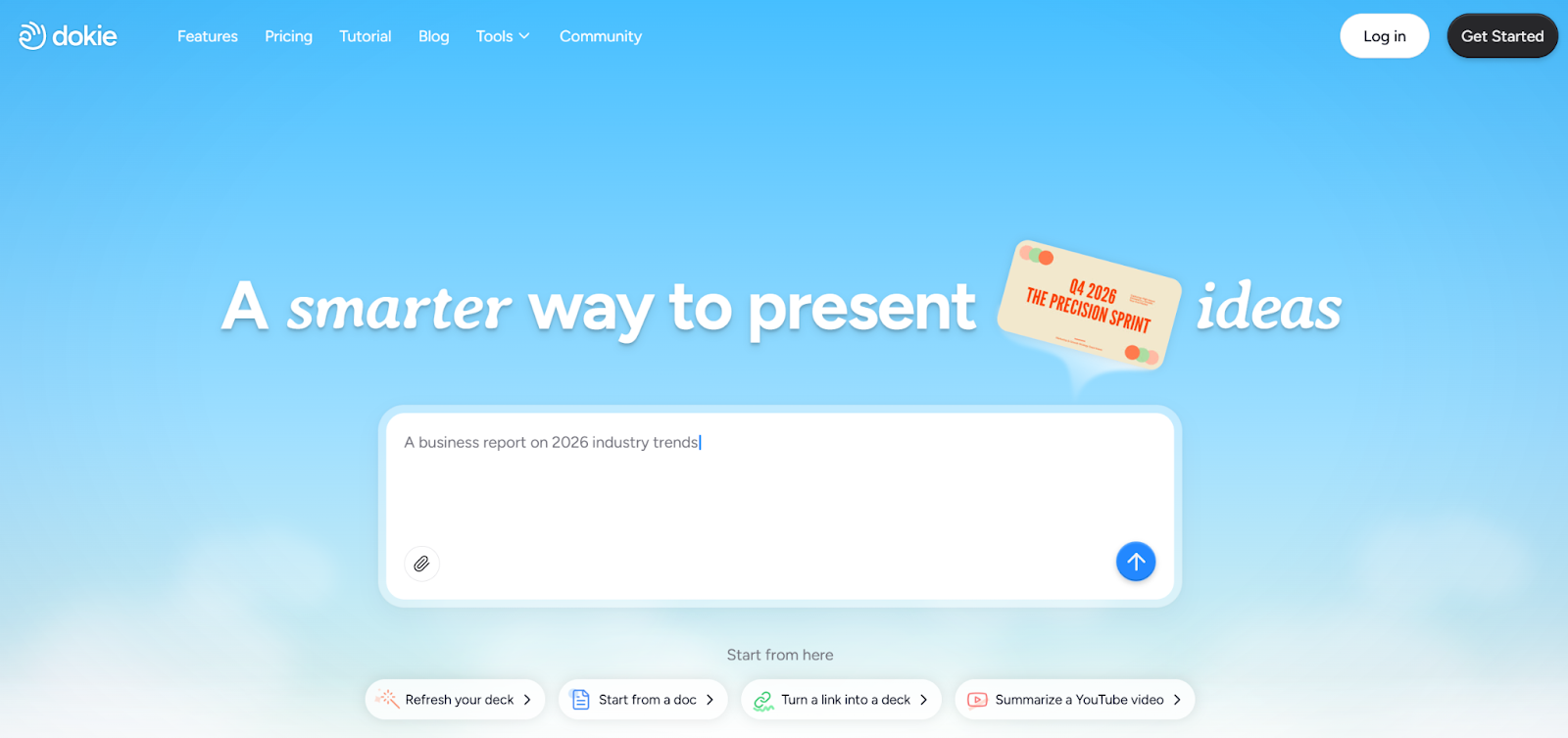
Dokie AI has a straightforward interface. You enter your topic, choose your preferences, and the tool generates slides quickly.
There is no steep learning curve, which makes it easy to get started.
Unlike some tools that prioritize animations and visuals, Dokie AI focuses on usability.
The slides may not look extremely fancy, but they are:
For professional users, this is often more important than design.
After generating slides, you can edit them easily. The structure is already in place, so most edits are small adjustments rather than full rewrites.
This is where Dokie AI saves the most time.
If you work in marketing, you likely create weekly or monthly reports. Dokie AI can turn your data and insights into structured presentations quickly.
For agencies or consultants, Dokie AI helps create client-facing decks with clear logic and flow.
Teams can use Dokie AI to prepare internal presentations without spending hours organizing slides.
Founders can quickly build pitch decks with a logical structure, which is critical when presenting to investors.
Gamma is faster and more flexible, but its structure can feel loose. Dokie AI is more structured and better for professional presentations.
Beautiful.ai is stronger in design, but weaker in content generation. Dokie AI focuses on content and structure.
Canva is better for design and branding. Dokie AI is better for creating structured business decks quickly.
Dokie AI offers both free and paid options. The free tools make it easy to test the platform before upgrading.
For many users, the free features are already useful, especially the conversion tools.
Dokie AI is best for:
It may not be the best choice for:
Dokie AI stands out because it focuses on what actually matters in presentations: structure and usability. Instead of generating flashy but unusable slides, it creates content that works in real business scenarios.
Combined with its free AI PPT tools, it becomes more than just a presentation generator—it becomes a practical productivity tool.
If you regularly create professional decks, Dokie AI is one of the most useful tools you can use today.
Yes, it offers free tools, including multiple AI PPT conversion features.
It focuses on structured, business-ready presentations instead of just design.
Yes, it supports traditional PPT workflows.
Yes, the interface is simple and easy to use.
It has fewer design templates and is less focused on visual creativity.