Creating video content used to mean learning complex software, spending hours editing, or hiring professionals. Today, that is changing fast. Text-to-video tools are increasingly becoming some of the fastest and most convenient ways for creators, marketers, educators, and newcomers to make videos. With readily accessible descriptions using these simple formats, users can now help bring ideas to life in visual form without the technical skills.
This change is driven by the text-to-video artificial intelligence that allows written prompts to be converted to full video scenes. Instead of starting with cameras or timelines, users start with words. This way, not only is time saved, but money is also saved, and video making is brought to the doorstep of everyone.
insMind is unique in the fact that it is a free AI text-to-video generator that helps users transform scripts, descriptions, and prompts into interesting video scenes. Whether you are building content for social media, ads, or more for learning materials, insMind is a very simple and fast way of creating videos from text.
Text-to-video artificial intelligence is a technology that converts written descriptions to videos. It reads your text, comprehends the scene, and generates visuals to match the idea. This includes movement, lighting, camera angles, characters, and sometimes audio.
When you use AI text to video, then the system analyzes such details as location, mood, actions, and style. For instance, if you write in your text, "sunrise over mountains," the system creates a scene with light, motion, and atmosphere consistent with that description.
insMind uses the video models such as Kling 2.6, Veo 3.1, and lightning-based models. These help to create smooth motion, good visuals, and natural-looking scenes. This makes text-to-video AI free online tools practical for real content creation and not just experiments.
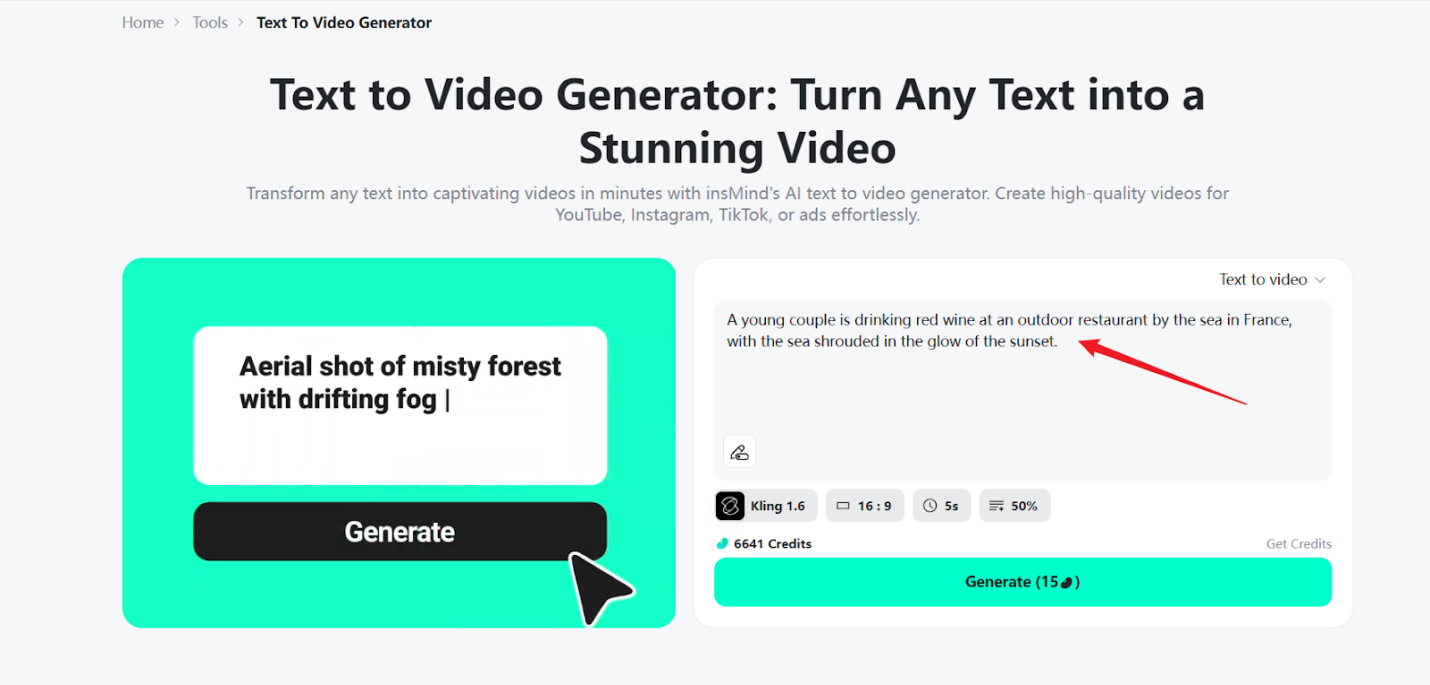
Start by visiting the Text to Video page on insMind. This is where the entire creation process begins. The interface is web-based and, therefore, there is nothing to download and install.
Next, type in your text description. This can be short or in detail, depending on what you want to create. Examples include.
The AI video generator from text uses this as input to understand the scene and frame the video.
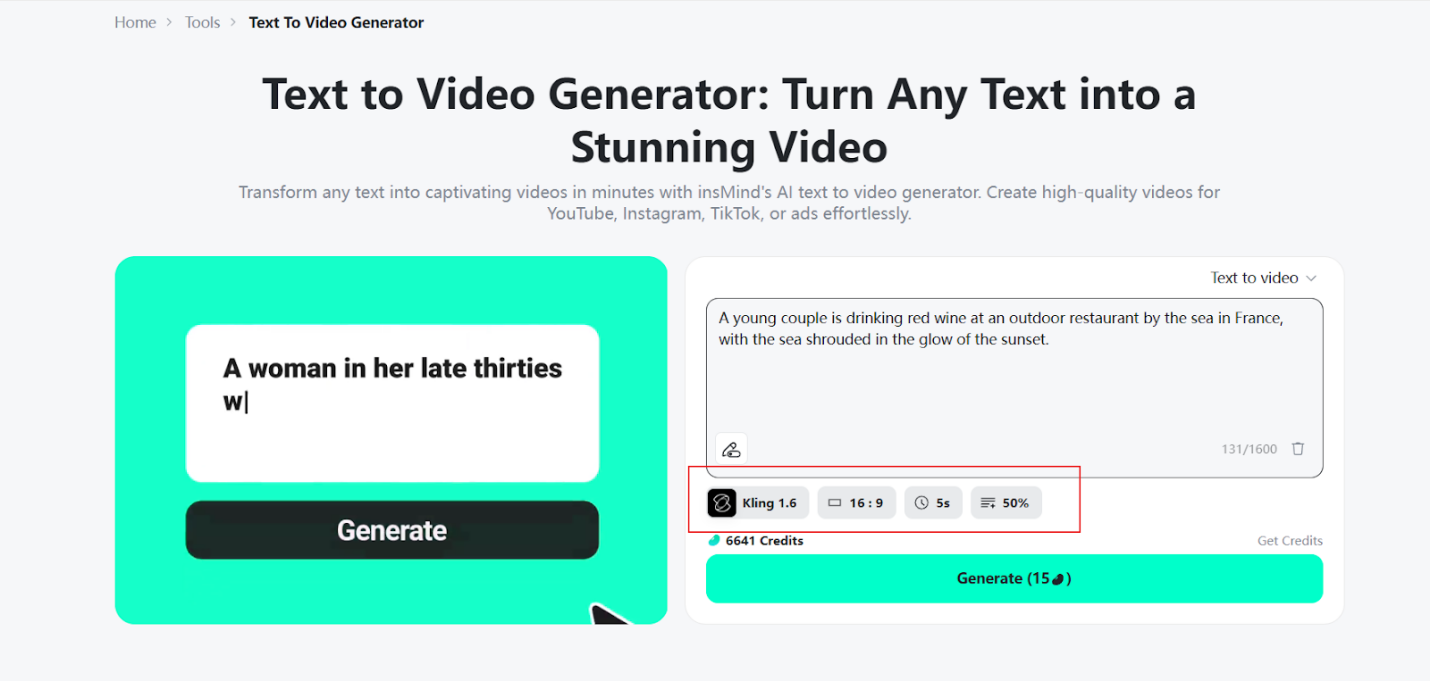
insMind's choice of a number of models depends on your needs.
Each option results in a little difference, and it gives flexibility that would be based on speed or visual style.
Choose the right format for your platform.
This step is to help ensure that your text-to-video output will fit perfectly where you wish to share it.
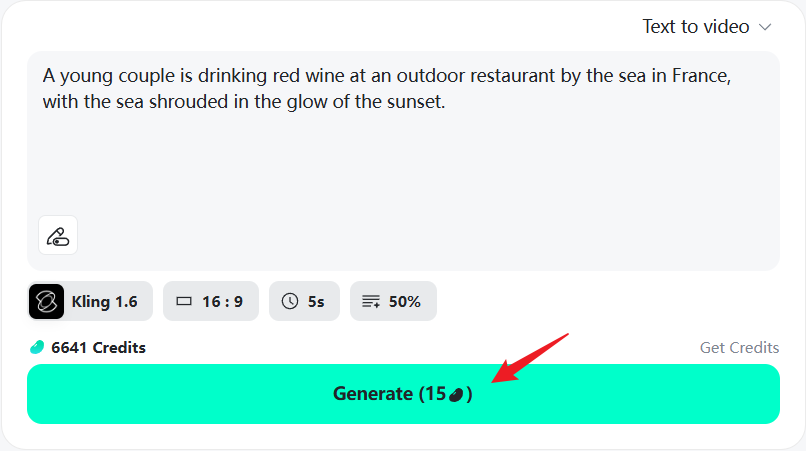
Click on generate, and the video is generated automatically. Motion, effects, and sometimes audio are synced to you. You can also regenerate variations if you want to have different creative options.
Better prompts make for better videos. While using a text-to-video AI generator, try to be clear and descriptive.
Saying the scene, mood, and movement. Include such details as time of day, lighting, or atmosphere. If at all possible, describe camera movements such as pan, tilt, or zoom. Adding character details, clothing, and setting also helps the system make more accurate visuals.
Simple but specific prompts usually work best with AI text-to-video generator free tools.
There are applications of text-to-video tools in a wide range of industries and types of content. They work well for:
For example, a product demo prompt may explain the products, background, and key features. A storytelling short could be something about feeling, motion, and scene changes. This flexibility makes text-to-video AI free tools useful for both business and creative projects.
insMind has a number of advantages which make it unique. It supports multiple video models, allowing for a creative choice by the user. It offers on-credit options and is thus available as a free AI video generator. Everything runs in the browser. So, no installation is needed.
Fast rendering speeds help users produce content quickly, and the final output looks clean and professional. For anyone who is looking for a reliable free AI text-to-video generator, insMind is easy to use and offers a good balance of results.
Text-to-video technology has revolutionized the way that videos are made. With text-to-video AI, anyone can turn written ideas into life in engaging visual content without editing skills or complex tools. insMind makes this process simple, fast, and accessible.
If you want to take words and make videos out of them, check out the insMind Text to Video page and start generating content today. It is a simple method of bringing ideas to life with modern text-to-video tools.