Key Takeaways: In 2026, the bottleneck for media workflows is no longer processing power, but upload latency and data privacy. For professionals handling sensitive recordings or 4K/8K source files, the most efficient way to extract audio from video is through Local-Native (WASM) processing—a method that eliminates server uploads entirely.
Part 1: The Problem — Why Traditional Online Converters Are Failing in 2026
For a decade, "Online Audio Converters" followed a predictable, flawed pattern: You upload a bulky video file to a remote server, wait in a queue, let the server process it, and then download the result.
In a world of 4K ProRes files and strict GDPR/CCPA privacy standards, this "Cloud-First" model is broken:
- The Latency Trap: Uploading a 2GB video just to get a 5MB MP3 is a massive waste of bandwidth.
- The Privacy Gap: Once your file hits a third-party server, you lose control over your intellectual property.
- The "Zombie App" Risk: Many "free" tools are now cluttered with intrusive ads and tracking scripts.
Part 2: 2026 Market Comparison: Cloud vs. Local-Native
To help you choose the right tool for your digital transformation, we’ve benchmarked the leading technologies available this year.
Feature | AudioCut (Local-Native) | Traditional Cloud Tools (e.g., CloudConvert)
| Native Desktop Apps (e.g., VLC) |
Privacy Level | 100% (Stay on RAM)
| Low (Server Storage) | High (Local) |
Processing Speed
| Instant (Zero Upload) | Depends on Network Speed | Fast
|
Installation | No (Browser-Based) | No
| Yes (Bulky) |
4K/8K Support | Unlimited | Usually Capped at 500MB | Unlimited |
Part 3: Top 5 Tools to Extract Audio from Video Online (Ranked by Privacy & Speed)
1. AudioCut — The Gold Standard for "Zero-Upload" Extraction
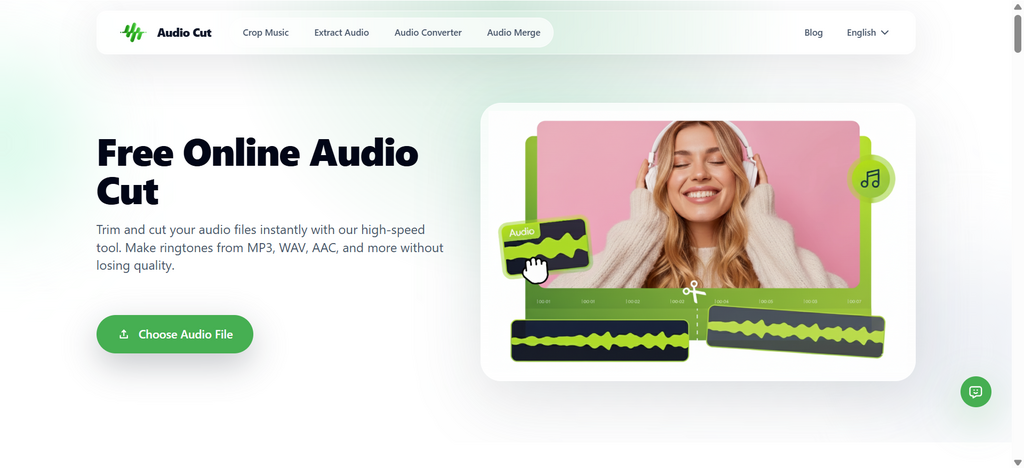
AudioCut has disrupted the market by leveraging WebAssembly (WASM). It treats your browser as a high-performance workstation, allowing for native CPU processing without the cloud.
- Pros: 100% Private; Lossless WAV/FLAC export; Zero data leaves your device; Modern Glassmorphism UI.
- Cons: Requires a modern browser (Chrome, Edge, or Safari).
- Best For: Professional creators, legal teams, and anyone tired of slow uploads.
2. Adobe Express (Quick Actions)
A solid choice for those already in the Adobe ecosystem. It’s reliable but requires an account and a stable connection for cloud syncing.
- Pros: High-quality encoding; integrated with Creative Cloud.
- Cons: Heavy UI; requires login; slower than local-native tools for large files.
3. VLC Media Player (The Desktop Classic)
While not "online," VLC remains the "Swiss Army Knife" for offline conversion.
- Pros: Totally offline; supports legacy formats (AMR, WMA).
- Cons: Clunky interface; no visual timeline for precise trimming.
4. 123Apps (Online Audio Cutter)
A veteran in the space that has recently added more format support.
- Pros: Simple "Step 1-2-3" workflow.
- Cons: File size limits on free tier; privacy policy allows for temporary server storage.
5. FFmpeg (For the Power User)
The command-line tool that powers most of the internet.
- Pros: Absolute control; zero cost.
- Cons: Steep learning curve; no visual interface.
Part 4: Step-by-Step Guide: How to Extract MP3 Privately (No Install)
Using the AudioCut workflow as the 2026 standard for efficiency:
- Launch: Open AudioCut.io in your browser. Notice the "Security Verified" badge—this confirms that Powered by WebAssembly, your data never leaves your RAM.
- Import: Drag your 4K video file into the workspace. It loads instantly because there is Zero Uploading.
- Refine: Use the precision timeline (optimized with a clean Gradient Green & Glassmorphism aesthetic) to select the segment you need.
- Extract: Choose your output (WAV for quality, MP3 for size) and hit "CUT". The browser saves the file directly to your "Downloads" folder.
Part 5: Pro Tips for High-Fidelity Audio in 2026
- The Lossless Rule: When extracting for professional editing, always export to WAV or FLAC. You can always compress it to MP3 later, but you can never "add back" the data lost during a low-bitrate MP3 export.
- Chromebook Optimization: If you are on a Chromebook or Linux, browser-native tools are your only way to get near-native performance without "App Bloat."
- Privacy Audit: Before using any tool, check if it works Offline. If you can disconnect your Wi-Fi after the page loads and it still processes your file—it’s a truly private, local-native tool.
Conclusion & Disclaimer
As digital transformation accelerates, the shift from Cloud-Dependent to Local-Native tools is inevitable. Choosing a tool like AudioCut isn't just about speed; it's about reclaiming ownership of your data in an increasingly public digital world.
Disclaimer: This guide is updated for April 2026. Always ensure you have the legal right to extract and use audio from video content.