Imagine scrolling through your phone's photo gallery. You see a beautiful sunset, a family gathering, or a candid smile that holds a thousand stories. These photos are precious, but they’re frozen in time—static memories of dynamic moments.
Now, picture this: the clouds in that sunset drifting gently across the sky, the candles on a birthday cake flickering softly, or a family portrait coming alive with warm, natural smiles. What if you could breathe life into your still photos, transforming them into short, moving videos?
This is where Image to Video AI steps in—a groundbreaking tool that turns your pictures into stunning video clips in seconds. No editing skills? No problem. With just a simple upload and a short text prompt, you can create mesmerizing videos that bring your memories to life. Let’s explore how this revolutionary tool works, why it stands out, and how it can help you tell your story.
Your photos are more than just images—they’re moments filled with emotions, stories, and memories. But as beautiful as they are, they remain static, unable to convey the full depth of the experience they represent. Whether it’s a family vacation, a romantic dinner, or an important milestone, a single photo can only capture so much.
Social media platforms are flooded with photos, making it harder than ever to stand out. Meanwhile, video content is dominating engagement metrics. According to recent studies, videos generate 1200% more shares than text and images combined. The challenge is clear: how can you turn your static photos into dynamic, shareable content that grabs attention?
Image to Video AI offers a simple yet powerful solution. It’s an intuitive, AI-powered tool designed to transform your still images into short, captivating videos. Whether you’re a social media influencer, a small business owner, or someone looking to preserve cherished family memories, this tool makes video creation effortless and accessible.
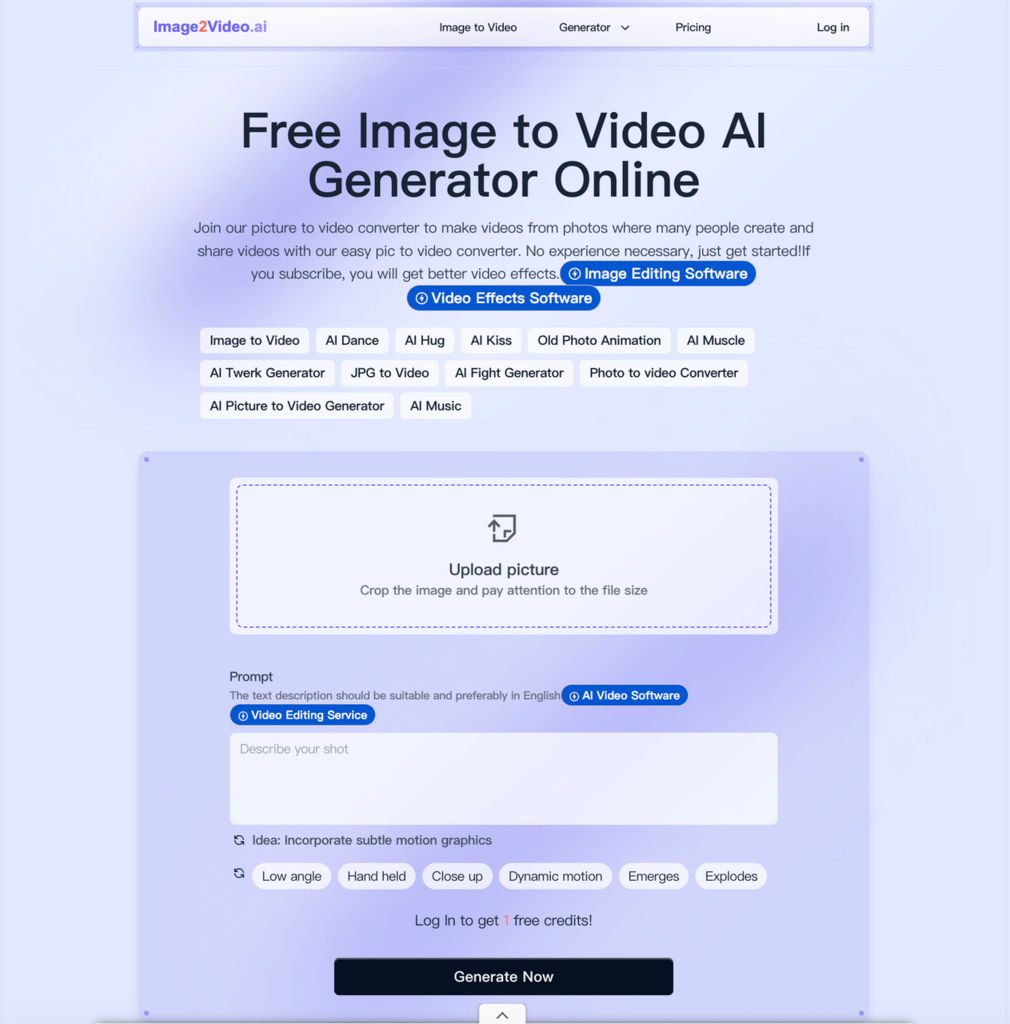
1. Upload Your PhotoStart by uploading a JPEG, PNG, or JPG file. Whether it’s a professional landscape shot, a casual selfie, or an old scanned photograph, any image can be your starting point.
2. Type a Simple PromptInstead of complicated editing software, all you need is your imagination. Write a short English description of the motion or mood you want. For example:
3. Generate and ShareWith one click, the AI works its magic. In just seconds, you’ll have a polished MP4 video ready to download and share. It’s that easy.
Unlike traditional video editing tools, Image to Video AI combines simplicity with creativity. Here’s what makes it stand out:
The AI interprets your text prompts with remarkable accuracy, adding natural and realistic motion to your images. Whether it’s animating a smile, creating ripples in water, or adding subtle zoom effects, the results are professional-grade.
Image to Video AI isn’t just a one-size-fits-all tool. It offers specialized generators tailored to specific needs:
With videos generated in under 30 seconds, you won’t waste time waiting. Plus, the platform ensures your files are processed securely, with no long-term storage of your data.
To help you understand the value of Image to Video AI, here’s a quick comparison with traditional video editing tools:
The beauty of this tool lies in its versatility. Here’s how different users can leverage it:
Stand out in a crowded feed by turning your photos into thumb-stopping videos. Animate travel photos, foodie snapshots, or lifestyle moments to create content that grabs attention and boosts engagement.
Create professional-looking video ads on a budget. Showcase your products or services with subtle animations that highlight their features. For example, animate a customer testimonial photo or add motion to a storefront image.
Transform old family photos into digital heirlooms. Whether it’s a wedding anniversary, a birthday tribute, or a nostalgic montage, Image to Video AI helps you preserve and share your memories in a dynamic way.
Here are a few ways users have brought their photos to life with Image to Video AI:
Your photos are more than just images; they’re stories waiting to be told.
With Image to Video AI, you can unlock their full potential and share them in a way that captivates and inspires.
Stop letting your photos sit silently in your gallery. Turn them into dynamic, shareable videos that make an impact. Your first masterpiece is just a click away.