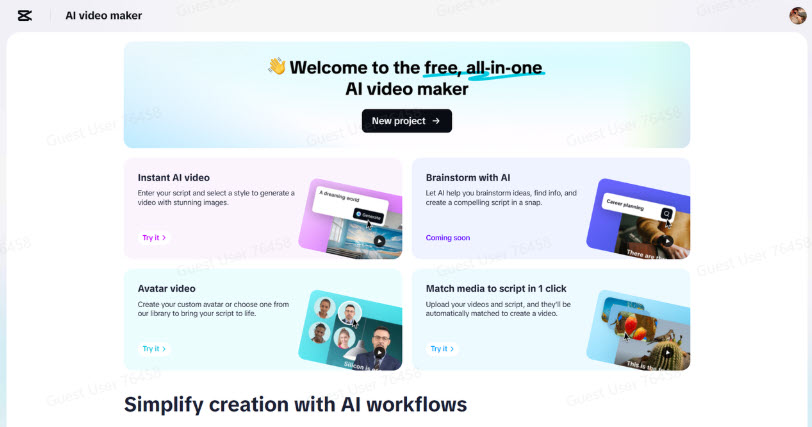
It isn't very intimidating to imagine one paragraph turned into a reel with a visual that's just as beautiful, but it is possible. The right tools make even a basic message scroll-stopping dynamic content. This transformation is quick and seamless using CapCut Web. With its AI-driven technology, you can convert plain text to professional-quality reels with little effort.
The Power of Micro-Storytelling in Reels
Modern content is reeled because it delivers value in seconds. Due to the limited attention of today’s audience, short-form videos are a great way to gain fast engagement. A good story does not need an essay. A paragraph full of emotion, clarity, or insight can supply enough material to make a fascinating visual narrative.The best part of a micro story is that it compresses information and makes the impact bigger. Visuals, sound, and timing can make all the difference in carrying a little motivational message, product highlight or idea explained in just a few lines. This is where an
AI video maker such as CapCut Web excels: It brings out the mood, rhythm and intention behind those words.
CapCut Web’s Paragraph-to-Video Transformation Process
With CapCut Web, your paragraph gets broken down into meaningful visuals. It breaks your writing into smaller, more manageable parts and then determines the flow and tone of your writing. Instead they become individual scenes ready to be paired with visuals, audio, and animation.The AI understands nuance. It gets faster by picking up the pacing and scene transitions. The system translates your tone, upbeat, serious, and educational, into cohesive visual language. The result? A structure like a professional makes it.
Scene-Centric Design: Turning Sentences into Visual Flow
CapCut Web’s “Scenes” feature makes reel design intuitive. Each sentence or phrase becomes a scene, giving your content a logical sequence. Instead of one long video block, you get multiple shots that maintain audience interest.The intelligent pairing of media elements ensures thematic consistency. Visuals are selected based on the script’s mood, and every scene aligns with your paragraph’s key message. This design flow allows for better audience retention and deeper emotional impact.
Steps to Make Captivating Reel Using CapCut Web
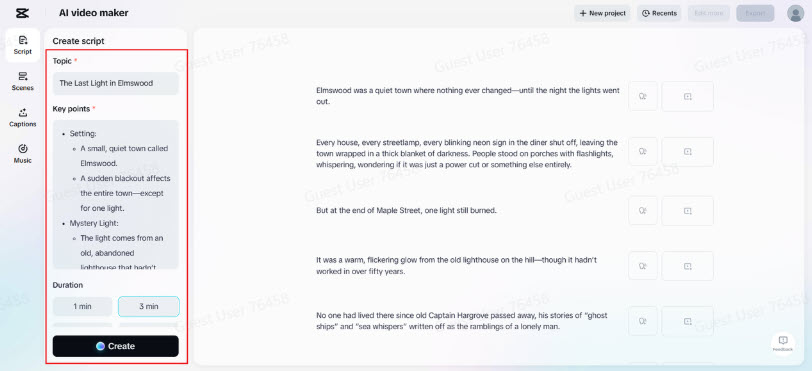
Step 1: Create ScriptStart by visiting the “Script” feature on CapCut Web. Add “Topic” and paste your written paragraph into “Key points.” Click “Create” to have the AI break it down into dynamic, reel-ready script segments.
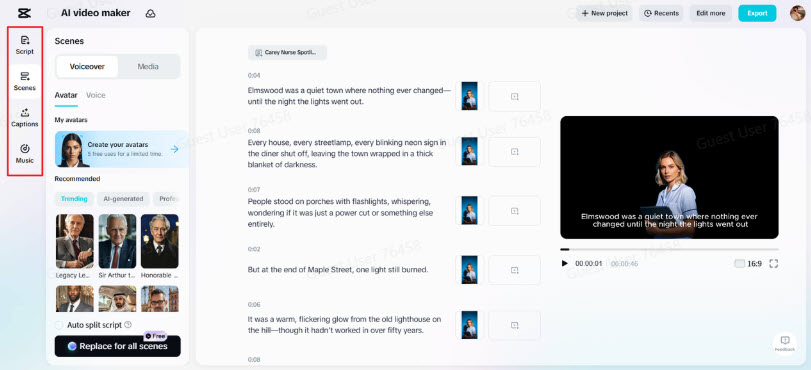
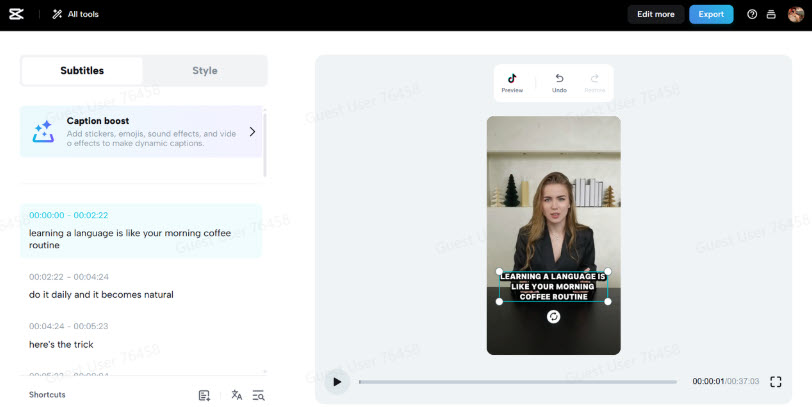
Step 2: Build Visual Flow Using Scenes, Voice, and CaptionsSwitch to “Scenes” to assign voice clips to each script segment. Want a more auditory reel? Go straight to “Voice,” pick your ideal voice, and click “Apply for all scenes.” Add energy and style to your reel with animated “Captions.” Access the “Music” tab to infuse it with upbeat or emotional soundtracks.
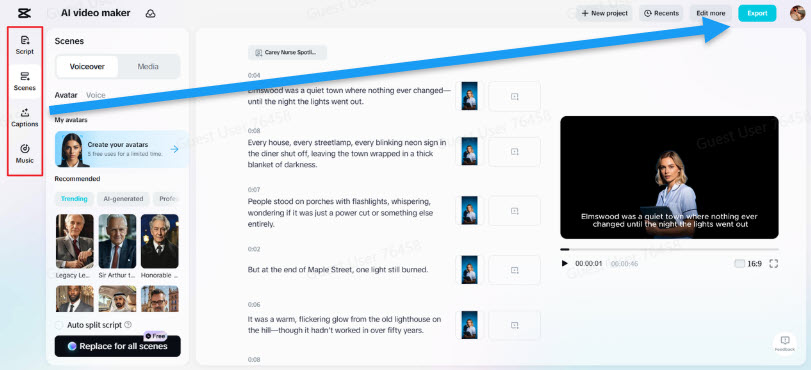
Step 3: Hit Export or Craft MoreOnce your preview captures the message and vibe, select “Export” to save. For more dynamic effects, choose “Edit more” to enter CapCut Web’s main video editor interface. Here, elevate your paragraph-turned-reel using transitions, motion graphics, and high-quality templates.
Enhancing Your Reels with AI Music, Captions, and Voice
CapCut Web gives you more than just automated visuals. You retain creative control throughout. Choose soundtracks to set the mood, whether it’s motivational, calm, or high-energy. Add subtitles using the
AI caption generator, which ensures your video remains accessible and engaging without manual effort.
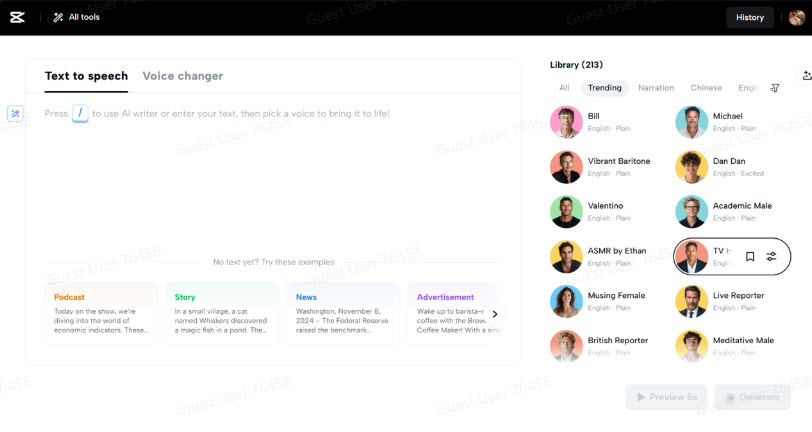
Narration breathes life into your scenes. Using
text to speech free, you can assign expressive voiceovers to every segment of your paragraph. You decide the pace, pitch, and tone. These features help your message resonate deeper with your audience.
Applications: Where Paragraph-to-Reel Makes an Impact
This feature works across multiple domains. Turn motivational messages into short, inspiring reels. Convert product descriptions into quick demos for e-commerce. Announce events or initiatives with creative flair using just a single paragraph of text.Marketing professionals, educators, and influencers can all benefit from this efficient content approach. It saves time and delivers results—reels built from just words, designed for maximum visibility.
Creative Editing Tips for Even Greater Impact
Enhance your visuals using filters that complement your message’s mood. Add transitions to guide your viewers smoothly from one idea to the next. Use effects sparingly but strategically—motion graphics can emphasize a key phrase or scene.Before exporting, adjust your canvas size for the right platform—Instagram, TikTok, or YouTube Shorts. Format ratios correctly, and make sure your captions are visible on mobile screens. This small attention to detail increases engagement significantly.
Conclusion
CapCut Web makes it easy to turn a simple paragraph into a cinematic, shareable reel. Whether you’re promoting a product, delivering a thought, or sharing a story, your message can gain new life through intelligent AI features. In just minutes, your words transform into vibrant video content. Now, anyone can create attention-grabbing reels—powered by creativity and enhanced with precision.