A Beginner's Guide to Using a Word Document EditorWord document editors are essential tools for students, professionals, and company owners. A good word processor is the most essential tool for getting things done these days, whether you're writing essays, papers, or proposals. Many people use Microsoft Word, but you usually have to pay for it or sign up for a subscription. While some look for ways to
download Word for free, these options often come with limited functionality or time-limited trials. This can be a problem for people who are new to the program or who need all of its features without paying extra.Fortunately, other programs like WPS Writer work without any problems. It has all the basic functionality of a word processor, like editing, formatting, templates, and even built-in AI help, and it's all free. We'll show you the basics of using a Word document editor in this guide and tell you about WPS Writer, a strong and affordable alternative.
What is a Word document editor?
Microsoft Word is a word processor that lets you make, change, and format text-based documents. People use it a lot for many kinds of content, like letters, articles, reports, resumes, and more. These editors have critical capabilities like changing the font, formatting paragraphs, adding tables and images, checking spelling, and changing the layout of pages. Microsoft Word, which is part of the Microsoft Office suite, has been the industry standard for a long time since it contains a lot of features and is easy to use.When users pay for Microsoft 365, they get extra features including better grammatical suggestions, the ability to work with other people in real time, version history, cloud storage with OneDrive, and access to premium templates. These technologies help people get more done, and they are invaluable for students, professionals, and teams who work on many devices. A word processor like Microsoft Word makes sure that your writing is clear, well-organised, and ready to be shown to others, whether you're working on an assignment or a business proposal.
Key features of Microsoft Word
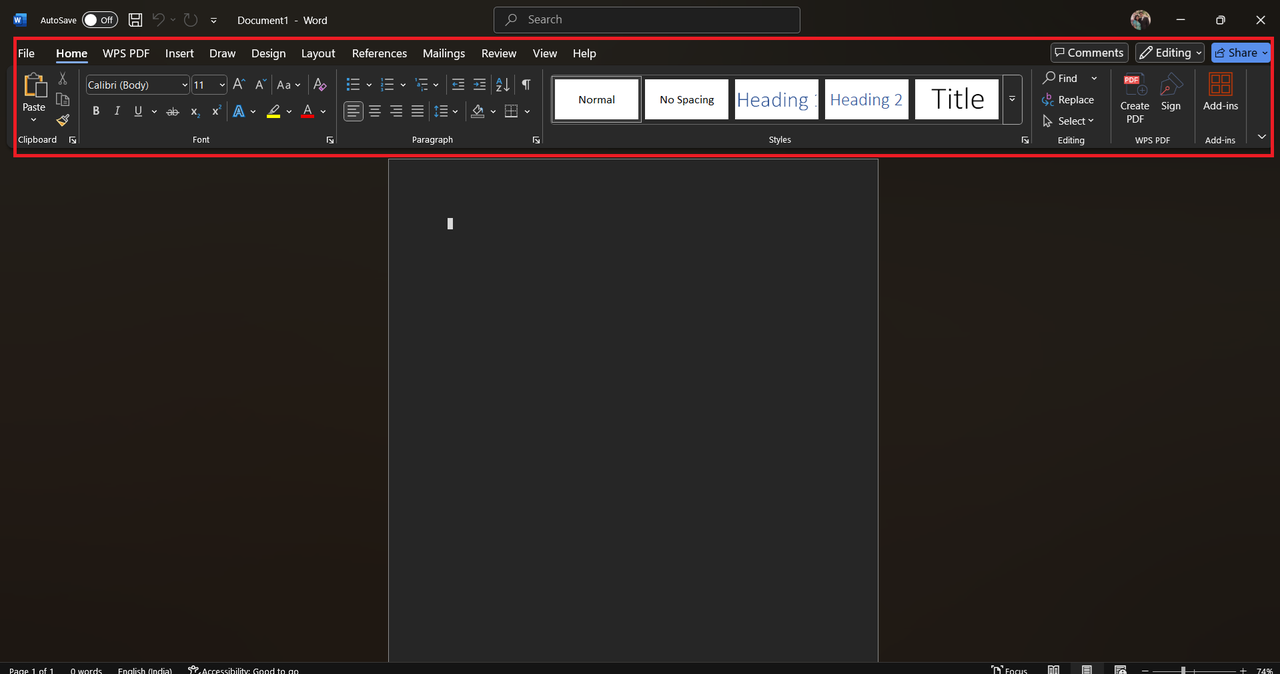
y-to-use interface: Microsoft Word has a clean, ribbon-based structure that makes it simple to find your way around, even for people who have never used it before. The tools are all in order, which makes it easy and quick to make documents.
- Professionally created templates: It comes with a lot of built-in templates for resumes, reports, letters, and more. These tools enable people to make professional-looking documents without having to start from scratch.
- Advanced formatting tools: Users can use styles, headings, footers, page numbers, and bespoke layouts with great accuracy. These tools help ensure that documents are well-organised and look good.
- A built-in spell and grammar checker: Word automatically flags problems in spelling and grammar as you type. It also gives bright ideas to improve tone and intelligibility.
- Collaborating in real time with OneDrive: With OneDrive integration, more than one person can edit the same document at the same time. Real-time saving of changes is significant for groups and teams that work from home.
- Keep track of modifications and comments: The review tools let users post comments and see what other people have changed. This is quite useful when you are getting feedback and making changes.
WPS Writer: A Smarter, Free Alternative to Microsoft Word
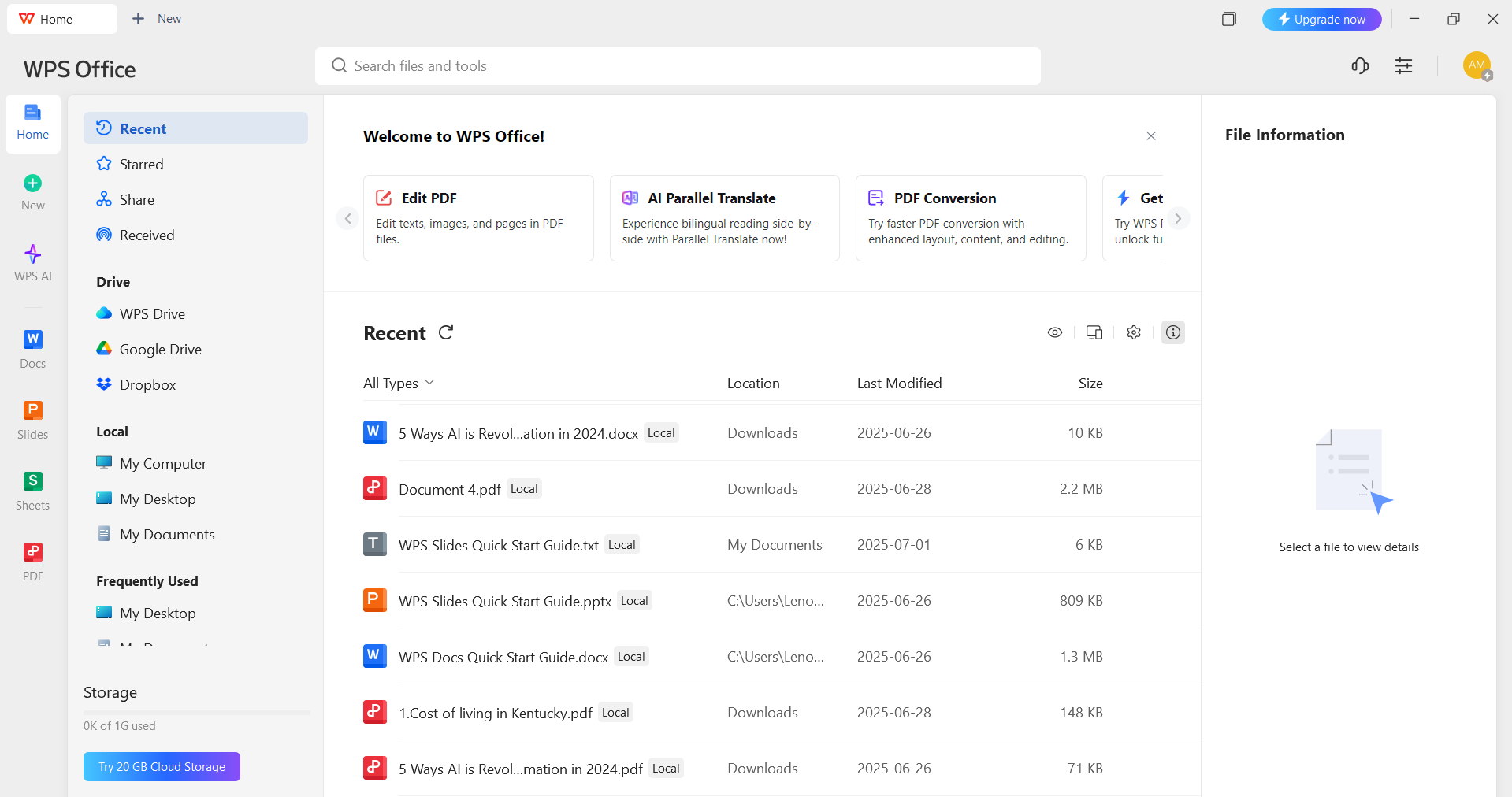
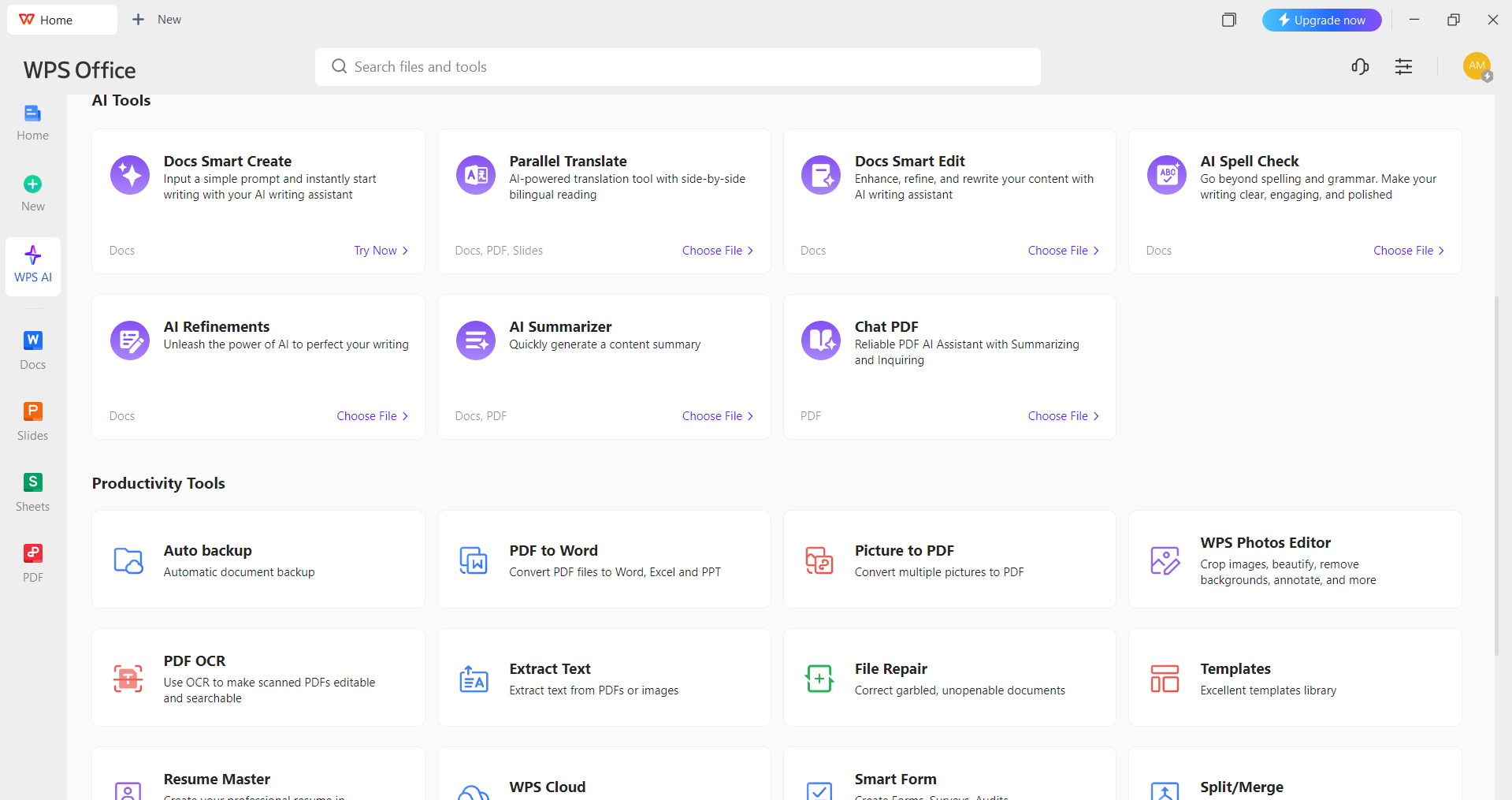
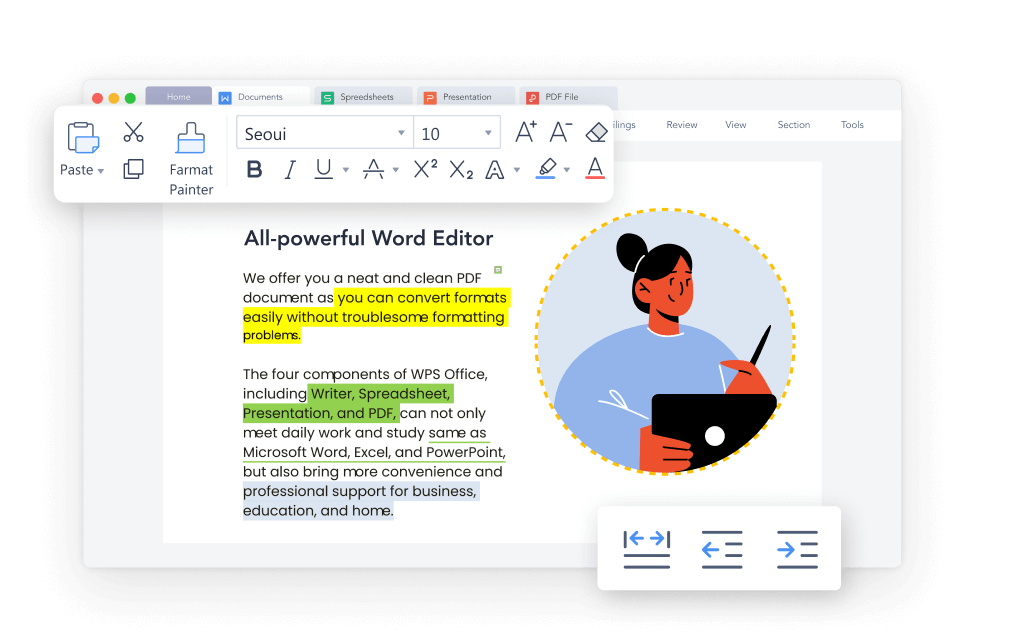
WPS Writer is a powerful alternative to Microsoft Word that has a lot of features and is great for both beginners and professionals. It's also free. It works with several file types, such as DOC, DOCX, PDF, TXT, and more, so it will work with all devices and systems. The free edition of WPS Writer has both basic and advanced editing tools. It also has built-in AI functions such as an AI assistant for writing material, spell check, translation, summarisation, and document refinement. You may also use professional templates and convert PDFs to Word documents without having to install any other plugins.WPS also has a basic premium subscription that gives users access to more features. This plan includes file merge and split, OCR, text extraction from photos, e-signature capability, cloud storage, and more. It's a full, light solution for all your needs for making and managing documents.
Key features of WPS Writer
- AI writing assistance: WPS Writer is an AI assistant incorporated right into the editor that can help you come up with ideas, write material, fix sentence structure, and improve tone. You don't have to do anything special to use AI tools on other platforms. With WPS AI, they're already built in and ready to go when you open the tool.
- Smart spell checker, translator, and summariser: Beyond writing, AI tools are helping more broadly. You can get grammar corrections in real time, AI-based translation for communicating with people who speak different languages, and a smart summariser that turns big papers into clear, short summaries that are perfect for reports or research.
- Extensive template library: WPS Writer has thousands of professionally made templates for resumes, reports, business letters, flyers, and other documents. These templates can be changed in any way and allow people to quickly make professional-looking documents without having to start from scratch.
- Tools for editing and converting PDFs: Want to change or update PDFs? You may edit PDFs directly in WPS Writer and change them into Word, Excel, or other formats without losing their formatting. You can change, highlight, and comment on text just like you would in a Word file.
- High-end tools for handling documents: With a basic premium membership, you get added features including file merge and split, OCR (Optical Character Recognition) to get text from pictures, cloud storage, and the ability to sign documents electronically. These capabilities make WPS Writer suitable for managing a lot of documents and doing business tasks.
- Supports various devices and formats: WPS Writer works on Windows, macOS, Android, and iOS, and it can open DOC, DOCX, PDF, TXT, and other file types. With cloud sync, you may access and change your files at any time and from any place, without losing formatting or lag.
Why Switching to WPS Writer from Microsoft Word Can Be a Smart Move?
If you're used to Microsoft Word but want a more flexible, cost-effective, and AI-enhanced writing experience, WPS Writer might be precisely what you need. Here are some clear reasons why making the switch can be beneficial:
1. Built-in AI tools: WPS Writer has innovative capabilities like AI content production, summarisation, grammar correction, and tone modification all in one place. Microsoft Word, on the other hand, often needs third-party integrations for AI-powered writing help.
2. Free access to important features: You have to pay for a membership to use most of Microsoft Word's advanced functions. WPS Writer is great for people who want to save money because it allows you access to professional-level formatting, templates, and document editing tools for free.
3. Supports multiple file formats: While Microsoft Word works best within its ecosystem and may struggle or require conversions for specific formats, WPS Writer offers effortless support for DOC, DOCX, PDF, TXT, HTML, and more. You can open, edit, and export across formats without losing layout or formatting, making it far more flexible for users who work with a variety of document types.
4. Better PDF features: WPS Writer lets you convert, edit, divide, merge, and even add notes to PDFs without needing any other software. Word's PDF editing features are limited.
5. Lighter and faster performance: WPS Writer is substantially smaller and uses fewer system resources than Microsoft Word. It works well on older devices, which makes it easier for people with limited hardware to utilise.
6. Premium plan that is affordable: WPS's premium plan is much less than Microsoft 365 if you need more than the free version. It gives you access to more technologies, such as OCR, e-signatures, and cloud storage, without costing a lot of money.
Let's conclude
Whether you're new to word processing or simply seeking a more affordable, feature-rich alternative to Microsoft Word, WPS Writer is a wise choice. It offers everything from basic document editing to advanced AI tools and PDF management, all without requiring costly subscriptions or additional software. With full compatibility across file types and devices, WPS Writer makes professional document creation accessible to everyone. If you're ready to streamline your workflow and get more done without limitations, switching to WPS Writer could be your best move yet.