
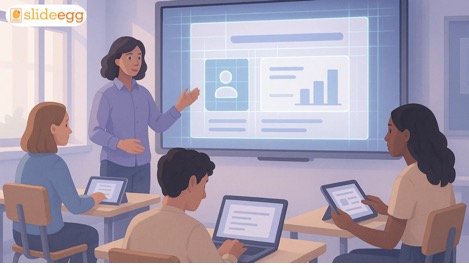
Creating good presentations has always been an important part of learning and teaching. Students use slides to explain ideas, complete assignments, and present projects clearly. Teachers use them to organize lessons, explain concepts, and guide classroom discussions. Over time, expectations around presentations have grown. Slides are no longer just blocks of text on a screen. They are expected to be clear, visually balanced, and easy for everyone to follow.
This is where AI quietly changes how presentations are created and used in tools like Google Slides. AI does not replace thinking or creativity. Instead, it reduces manual effort, saves time, and helps users focus more on the message than the formatting. By supporting clean layouts and structured flow—similar to what well-designed professional PowerPoint templates aim to achieve—AI helps both students and teachers create presentations that communicate ideas more effectively, without added stress.
The most common reason students have difficulties with presentations is not that they lack ideas, but rather because they don't understand how to put them together. Which one goes first? What to explain next? How much text to include? This can get all confusing. Adding to that are problems with formatting, alignment, and inconsistent layouts.
It's not all that different for teachers. It takes a lot of time to prepare lesson slides regularly. Rewriting content for different classes, adjusting layouts, and maintaining visual balance in slides can hold up lesson planning.
Artificial intelligence helps with repetitive and technical tasks, smoothing the presentation creation process for all.
For students, AI acts like a helpful guide during the presentation process.
One major benefit is content organization. When students start with a topic, AI tools can suggest a logical flow—introduction, key points, examples, and conclusion. This helps students structure their thoughts clearly.
AI also helps simplify language. Students often write long sentences or overcrowd slides with text. AI suggestions encourage shorter points and clearer explanations, improving clarity and confidence during presentations.
Another helpful feature is design assistance. AI can recommend layouts that balance text and visuals, making slides easier to read. This reduces the fear of bad design and allows students to focus on explaining ideas instead of fixing spacing or fonts.
Teachers spend a large part of their time preparing lessons. AI makes this process more efficient without changing teaching style.
AI can quickly turn lesson notes into slide outlines. Instead of building each slide manually, teachers can start with a structured draft and refine it based on classroom needs. This is especially useful when teaching the same topic to different groups.
AI also supports visual consistency. Clean layouts, readable text sizes, and balanced spacing help students focus better. When slides look organized, learning feels easier.
Another advantage is adaptability. Teachers can modify content faster, adjust difficulty levels, or add examples without starting from scratch.
Engagement is critical for learning. AI improves engagement in small ways.
It encourages the use of visuals where needed and reduces unnecessary text. Slides become more focused, which helps students understand concepts faster.
AI can also help suggest question slides, summary slides, or reflection prompts. These small additions improve interaction and keep learners involved, especially in online or hybrid classrooms.
Importantly, this engagement feels natural. The slides remain simple, not overloaded with effects or distractions.
Not all students learn the same way. Some prefer visual explanations, while others learn better through short points or examples.
AI helps create flexible Google Slides presentations that support multiple learning styles. Clear headings, short explanations, and relevant visuals make content accessible to more learners.
For students who struggle with writing or presentation confidence, AI acts as support rather than pressure. It helps them express ideas clearly without feeling overwhelmed.
Group presentations are common in classrooms, but they often come with challenges. Different writing styles, uneven contributions, and formatting inconsistencies can make slides messy.
AI helps maintain consistency across slides. When multiple students work on the same presentation, AI design suggestions keep layouts uniform. This improves teamwork and reduces editing time.
A clear slide structure also helps group members understand their roles better, leading to smoother collaboration.
Too much information on slides can confuse learners. AI encourages clarity by limiting content per slide and focusing on key points.
This reduces the load for both presenters and viewers. Students presenting feel more confident, and audiences find it easier to follow along.
Teachers benefit as well. Clear slides support better explanations and smoother lesson flow.
AI does not think of students. Instead, it helps them practice better presentation habits.
Students learn how to summarize ideas, highlight key points, and present information logically. Over time, these skills improve communication, not just slide creation.
Teachers can also use AI-supported slides as examples to teach presentation best practices, helping students develop strong academic and professional skills.
It is important to understand that AI is a support tool. It does not replace teaching, creativity, or critical thinking. The ideas still come from students and teachers.
AI simply removes barriers—technical difficulties, time pressure, and design confusion. This makes learning more accessible and teaching more efficient.
When used thoughtfully, AI allows everyone to focus on what truly matters: understanding, explaining, and learning.
AI makes Google Slides presentations easier for students and teachers by improving structure, clarity, and overall flow. Students can focus more on understanding and sharing ideas, while teachers can organize lessons and explain concepts more effectively.
With support for design consistency and interactive presentation, features become more engaging, clear, and human-first—helping learning feel simpler and more confident for everyone.







